


In an era where convenience and security go hand in hand, the door key fob has become a staple for residential buildings, office spaces, hotels, and industrial facilities. Once reserved for high-security environments, this technology is now widely accessible and easy to use.
This article explores what door key fobs are, how they work, their advantages, security features, installation tips, and future trends.
What is a Door Key Fob?
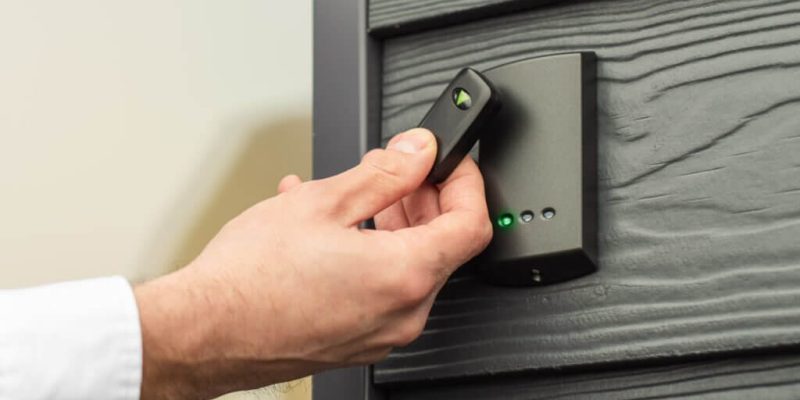
A door key fob is a small, portable electronic device—often the size of a coin or keychain—that grants access to a secured door via wireless communication. Instead of inserting a physical key, the user simply taps or waves the fob near a reader to unlock the door.
These devices are part of an electronic access control system (EACS) and are often paired with smart locks, RFID readers, or proximity card systems.
How Door Key Fobs Work
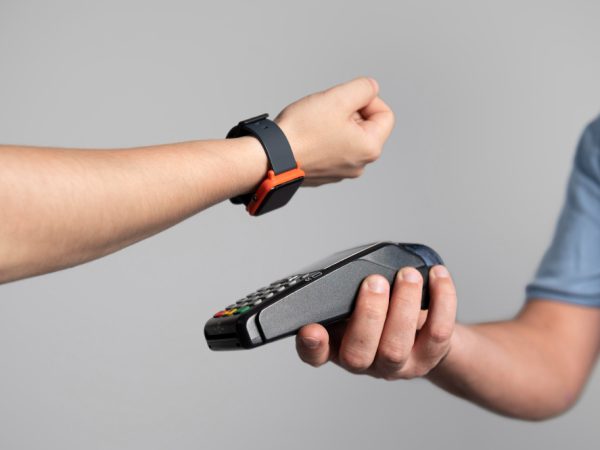
Most door key fobs operate using Radio-Frequency Identification (RFID) or Near Field Communication (NFC) technology.
Step-by-step process:
- The user approaches the door and holds the fob near the reader.
- The reader scans the fob’s unique ID code stored in a microchip.
- System verifies credentials against a database.
- Lock disengages if credentials are valid.
- System logs the entry for security tracking.
Key Technologies Used:
- RFID (125 kHz or 13.56 MHz) – Most common in access control systems.
- NFC – Allows communication with smartphones and newer access devices.
- Bluetooth Low Energy (BLE) – Some advanced fobs connect via Bluetooth.
Benefits of Using Door Key Fobs
Enhanced Security
Each fob has a unique identification number that is difficult to duplicate, reducing the risk of unauthorized access.
Convenience
No need to fumble with metal keys—just tap and go.
Access Control Management
Admins can grant or revoke access instantly via software without changing locks.
Audit Trails
Systems can track who enters and when, improving security oversight.
Scalability
Easily add or remove fobs for new employees, tenants, or guests.
Durability
Fobs are resistant to wear and tear compared to traditional keys.
Common Uses for Door Key Fobs
- Residential Buildings – Apartment and condominium entry
- Offices & Corporate Buildings – Employee access control
- Hotels – Guest room and facility entry
- Educational Institutions – Dorms, libraries, and labs
- Healthcare Facilities – Restricted areas for staff only
- Industrial Sites – Warehouse and factory floor security
Security Features of Modern Door Key Fobs
Modern systems incorporate several advanced features to prevent unauthorized use:
- Encryption Protocols – Protects data transmission between fob and reader.
- Rolling Codes – Changes the access code after every use.
- Two-Factor Authentication (2FA) – Requires PIN or biometric verification.
- Time-Restricted Access – Limits entry to certain hours or days.
- Zone Control – Grants access only to specific areas.
Installing a Door Key Fob System
Choose Your Access Control System
Select based on building type, number of users, and security level required.
Install Door Readers
Readers are mounted near doors and wired to the locking mechanism.
Program the System
Each fob is registered in the access control database with assigned permissions.
Distribute Fobs
Assign to authorized users with specific access rules.
Train Users
Educate employees or residents on proper usage and reporting lost fobs.
Choosing the Right Door Key Fob System
When selecting a system, consider:
- Frequency Type – Low-frequency (125 kHz) vs high-frequency (13.56 MHz)
- Compatibility – Ensure readers and fobs match your locking hardware
- Scalability – Ability to add more users as your needs grow
- Integration – Works with security cameras, alarms, or mobile access apps
- Budget – Balance cost with long-term functionality
Potential Drawbacks and How to Mitigate Them
- Lost or Stolen Fobs – Revoke access immediately via the system.
- Technical Failures – Keep backup mechanical keys or secondary access methods.
- Copying Risks – Use encrypted fobs to prevent unauthorized duplication.
Maintaining a Door Key Fob System
- Regularly Update Software – Keeps security protocols current.
- Audit Access Logs – Detects unusual activity.
- Replace Damaged Fobs – Prevent malfunctions at entry points.
- Test Readers Frequently – Ensure smooth operation.
Door Key Fobs vs Traditional Keys
| Feature | Door Key Fob | Traditional Key |
| Security | High (unique IDs, encryption) | Medium (keys can be copied) |
| Convenience | Tap-and-go | Manual insertion |
| Access Management | Remote revocation & granting | Requires lock change |
| Durability | High | Medium |
| Tracking | Yes | No |
Future of Door Key Fobs
As technology evolves, door key fobs are integrating with:
- Smartphones – Mobile access replaces physical fobs.
- Biometric Readers – Fingerprint or facial recognition combined with fob entry.
- Cloud-Based Access Control – Manage access remotely from anywhere.
- IoT Integration – Fobs connected to building management systems for energy and security automation.
Popular Door Key Fob Brands
- HID Global – Known for high-security access cards and fobs.
- KABA / dormakaba – Offers RFID solutions for commercial buildings.
- SALTO Systems – Specializes in cloud-connected access control.
- Schlage – Combines traditional locks with smart fob entry.
- Kwikset – Residential-grade smart lock and fob solutions.
Tips for Businesses and Homeowners
- Always register new fobs before distribution.
- Limit access zones for improved security.
- Set expiration dates for temporary users (e.g., contractors, guests).
- Keep a master override method in case of system failure.
Conclusion
The door key fob has revolutionized access control by offering a secure, convenient, and trackable alternative to traditional keys. Whether for a single-family home, apartment building, or corporate office, these devices make entry faster while enhancing security.
As technology advances, expect even more integration with mobile devices, biometrics, and cloud systems—making the door key fob an essential part of modern property security.
FAQs
1. Can door key fobs be copied?
Some older models can be duplicated, but modern encrypted fobs are much harder to clone.
2. What happens if I lose my door key fob?
Notify the system administrator immediately so access can be revoked and a new fob issued.
3. How long do key fobs last?
With proper care, a fob can last 5–10 years.
4. Are key fobs waterproof?
Most are water-resistant, but check manufacturer specifications.
5. Can I use my smartphone instead of a key fob?
Yes. Many systems now allow NFC or Bluetooth-enabled smartphones to replace physical fobs.
Also read: Underpaid Employees Request: How to Address and Negotiate Fair Pay