



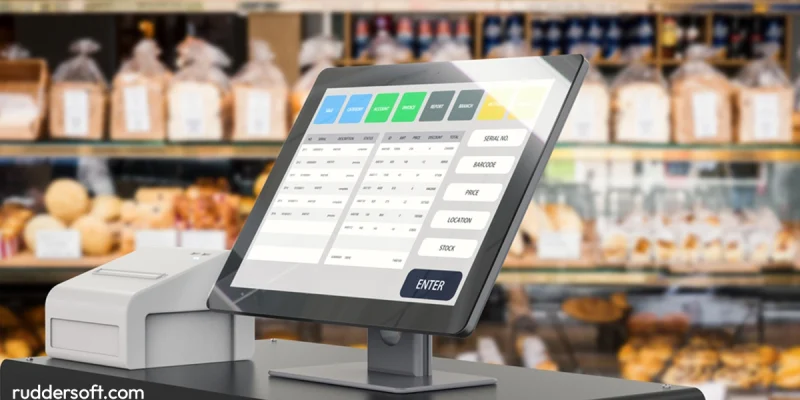
Running a successful small business today requires more than just a cash register. A modern point of sale (POS) system helps you manage sales, inventory, customer relationships, and even marketing—all from one platform.
But with so many options available, choosing the best POS system for small business can be overwhelming. Whether you own a retail store, café, salon, or service-based business, this guide will help you find the right solution based on features, price, industry, and ease of use.
What Is a POS System?
A POS system is a combination of hardware and software that allows businesses to process customer transactions, track sales, manage inventory, and generate reports. It may include:
- Touchscreen display or register
- Card reader (EMV/NFC)
- Barcode scanner
- Receipt printer
- POS software (cloud-based or local)
Best POS Systems for Small Businesses in 2024
Square POS – Best All-in-One for Startups and Retail
- Pricing: Free POS software + 2.6% + 10¢ per transaction
- Hardware: Square Reader, Stand, or Terminal
- Ideal for: Retail shops, food trucks, salons, solo entrepreneurs
- Pros:
No monthly fees for basic plan
Easy setup and mobile-friendly
Free invoicing and inventory tools
- Cons:
Limited features for large or complex businesses
Shopify POS – Best for Retail + eCommerce Integration
- Pricing: Starts at $89/month for POS Pro
- Hardware: iPad POS kit, barcode scanner, receipt printer
- Ideal for: Brick-and-mortar + online stores
- Pros:
Syncs online and in-store inventory
Omnichannel sales reporting
Excellent for Shopify users
- Cons:
Requires Shopify eCommerce subscription
Toast POS – Best for Restaurants and Food Service
- Pricing: From $0/month (pay-as-you-go) to $165/month
- Hardware: Android-based tablets, terminals, KDS
- Ideal for: Full-service restaurants, cafes, bars
- Pros:
Built specifically for restaurants
Menu management, table layout, tipping options
Delivery and online ordering integrations
- Cons:
Higher setup costs for hardware
Lightspeed POS – Best for Inventory-Heavy Retailers
- Pricing: From $89/month
- Hardware: iPad-based system with optional accessories
- Ideal for: Boutiques, pet shops, bike stores
- Pros:
Advanced inventory tools and supplier integration
Built-in loyalty program
Analytics dashboard
- Cons:
Slight learning curve for beginners
Clover POS – Best for Customizable Hardware and Payments
- Pricing: From $14.95/month + processing fees
- Hardware: Clover Station, Mini, Flex
- Ideal for: Retail, quick-service restaurants, service providers
- Pros:
Easy to scale with multiple device options
App marketplace for custom add-ons
Fast, intuitive checkout
- Cons:
Pricing and features vary by provider/reseller
POS System Comparison Table
| POS System | Monthly Cost | Best For | Notable Feature |
| Square | $0 | Startups, mobile sales | Easy mobile setup |
| Shopify | $89+ | Retail + eCommerce | Seamless online integration |
| Toast | $0–$165 | Restaurants | Restaurant-specific tools |
| Lightspeed | $89+ | Inventory-heavy retail | Advanced stock control |
| Clover | $14.95+ | General small business | Scalable hardware options |
Key Features to Look for in a POS System
- Ease of Use
Intuitive interface for staff training and daily use
- Payment Processing
EMV chip, tap-to-pay (NFC), and mobile wallets (Apple Pay, Google Pay)
- Inventory Management
Real-time tracking, low-stock alerts, and barcode scanning
- Customer Relationship Management (CRM)
Loyalty programs, email receipts, customer profiles
- Analytics and Reporting
Sales trends, top-selling products, employee performance
- Mobility
Ability to take payments on the go (mobile POS)
- Integrations
Accounting software (QuickBooks, Xero), eCommerce (Shopify, WooCommerce), marketing tools
How Much Does a POS System Cost?
| Component | Estimated Cost |
| POS Software | Free to $150/month |
| Hardware Bundle | $300–$1,500+ |
| Payment Processing Fees | 2.6% – 3.5% + per transaction |
| Add-ons (Loyalty, Payroll) | $10–$50/month |
Tip: Many POS providers offer financing or “pay-as-you-go” hardware packages.
SEO Keyword Strategy
| Keyword | Placement |
| Best POS system for small business | Title, meta, H1, intro, feature list |
| Point of sale software | Definition and features sections |
| POS system reviews | Comparison chart and summary |
| Small business POS solutions | Throughout product recommendations |
| Retail POS, restaurant POS | Industry-specific recommendations |
| Mobile POS systems | Benefits and ease-of-use sections |
Internal Linking Ideas:
- “Best accounting software for small businesses”
- “Mobile payment options for vendors and food trucks”
- “Top inventory management tools for 2024”
- “How to set up a POS system in your store”
Conclusion
The best POS system for your small business depends on your industry, growth goals, and day-to-day operations. While Square is ideal for simplicity and startups, Shopify excels for retailers, Toast dominates restaurants, and Clover offers hardware flexibility.
Before you choose, consider running a free trial, asking for demos, and reviewing your business’s specific needs. A great POS system will help you save time, increase sales, and build better customer relationships.
FAQs
1. What is the best POS system for a small retail store?
Square or Shopify POS are excellent for small retailers. If you need deep inventory control, Lightspeed is ideal.
2. Can I use a POS system on my phone or tablet?
Yes! Most modern POS systems offer mobile compatibility, allowing you to accept payments via smartphone or tablet.
3. What’s the most affordable POS system?
Square POS is the most budget-friendly with no monthly fees for the basic plan—ideal for new businesses.
4. Can I use one POS system for online and in-store sales?
Yes. Platforms like Shopify, Square, and Lightspeed integrate both eCommerce and brick-and-mortar operations.
5. How do I choose the right POS system?
Assess your business type, budget, inventory needs, and whether you need eCommerce or mobile support.
Also read: How to Start a Photography Business: Step-by-Step Guide for Beginners