



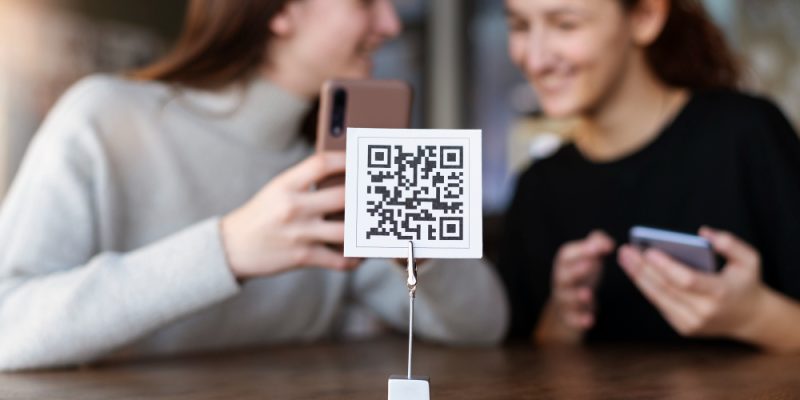
QR codes have become an essential part of the digital world, connecting physical objects to online information in a single scan. From restaurant menus to event tickets and product packaging, QR codes are everywhere. But what if you need to create a random QR code quickly — for testing, sharing links, or creative use?
This guide will show you how to generate random QR codes instantly online, explain how they work, and share tips to ensure they’re used safely and effectively.
What Is a QR Code?
A QR code, short for Quick Response code, is a type of two-dimensional barcode that can store information like URLs, text, phone numbers, or even payment data. When scanned using a smartphone camera or a QR reader app, the code instantly directs users to the stored content.
Unlike traditional barcodes that store limited data horizontally, QR codes store information both horizontally and vertically, allowing them to hold more complex data. This makes them ideal for businesses, educators, marketers, and everyday users.
What Does “Random QR Code” Mean?
A random QR code is a code generated with random or unpredictable content. Instead of encoding a specific predefined link or message, it contains random data such as a unique string, random URL, or text generated automatically.
People use random QR codes for different purposes, such as
- Testing scanners or QR-based systems.
- Generating unique codes for games, promotions, or creative art projects.
- Creating anonymous or disposable links.
- Practicing QR code design or learning how QR data encoding works.
The randomness makes each code unique, which can be fun, experimental, or useful for quick temporary use.
How QR Codes Work
QR codes store information in the form of small black squares arranged on a white grid. Each pattern represents bits of data that can be decoded by scanning devices. When you scan a QR code with your phone, your device reads these data points and converts them into readable information such as a web address or a text message.
Every QR code includes the following parts
- Data area that contains the encoded information.
- Position markers that help the scanner recognize the orientation.
- Error correction patterns that allow the code to be readable even if it’s partially damaged.
This design makes QR codes both fast and reliable for instant data transfer.
Why Create a Random QR Code?
You might want to create a random QR code for several reasons, including:
- Testing purposes: Developers use random QR codes to test mobile apps or scanning features.
- Creative uses: Artists and designers use random QR codes as part of digital art or installations.
- Security and privacy: Using random codes that do not link to sensitive data prevents privacy issues.
- Education: Teachers use random QR codes for classroom activities, scavenger hunts, or quizzes.
- Fun and novelty: Random QR codes can be created just for entertainment or exploration.
The beauty of a random QR code lies in its simplicity and unpredictability.
How to Create a Random QR Code Instantly Online
Creating a random QR code online is easy and takes less than a minute. Here’s how you can do it:
Step 1: Choose a QR Code Generator
Go to a trusted online QR code generator such as QRCode Monkey, GoQR.me, or QRStuff. Most of these tools are free and require no registration.
Step 2: Generate Random Content
If you want your QR code to contain random text or a random link, you can use an online random text generator or simply type in a mix of letters and numbers.
For example, you could create a random string like “u84kX2pLr9” or “https://example.com/random123”.
Step 3: Paste the Content into the Generator
Enter your random text or link into the generator’s content box.
Step 4: Customize the QR Code (Optional)
Many generators allow you to customize the color, design, or even add a logo to your QR code. This is optional, but it helps personalize the look.
Step 5: Click Generate or Create QR Code
After clicking the button, your random QR code will appear instantly.
Step 6: Download and Save It
Save the QR code as a PNG or JPEG file to your device. You can now print it, share it, or use it for testing.
That’s it — you’ve just created a random QR code in seconds.
Best Free Tools to Generate Random QR Codes
There are many free online platforms for creating QR codes. Here are some of the most popular options:
- QRCode Monkey: A popular tool that allows custom colors, logos, and high-resolution downloads.
- GoQR.me: A simple interface for generating QR codes instantly without sign-up.
- QRStuff: Offers a range of data types, including URLs, text, phone numbers, and Wi-Fi credentials.
- The QR Code Generator: Fast, clean, and mobile-friendly interface ideal for personal use.
All these platforms let you create random codes easily without needing technical knowledge.
Are Random QR Codes Safe?
While QR codes themselves are not inherently dangerous, the content they link to can be. A random QR code may lead to an unknown website or contain meaningless data.
To stay safe
- Only scan QR codes from trusted sources.
- Avoid scanning random codes found in public without knowing their origin.
- Use your phone’s preview function to check the link before opening it.
- Never enter sensitive information into websites reached through random QR codes.
If you are generating your own random QR codes, they are safe because you control the content they contain.
Creative Ways to Use Random QR Codes
Random QR codes can be surprisingly versatile. Here are some creative ways to use them:
- Digital games: Create QR scavenger hunts where each code reveals a new clue.
- Marketing campaigns: Use random QR codes for giveaways or hidden rewards.
- Art and design: Incorporate QR patterns into creative artwork or installations.
- Education: Teachers can use them for random question selection or learning activities.
- Personal use: Generate random QR codes that lead to jokes, quotes, or fun facts to share with friends.
The possibilities are endless when you combine creativity with technology.
Common Mistakes When Creating QR Codes
Even though generating QR codes is simple, people often make a few mistakes that can affect usability. Here are some to avoid:
- Low contrast: Always ensure the background is light and the code pattern is dark for easy scanning.
- Poor quality images: Use high-resolution downloads to keep your code scannable after printing.
- Overcrowding with data: Shorter URLs or text make QR codes easier to scan.
- Forgetting to test: Always scan your QR code before sharing or printing it.
- Unverified links: Never use untrusted or suspicious links in your code.
By avoiding these mistakes, your QR code will remain reliable and functional in any situation.
The Future of QR Codes
QR codes are no longer just a novelty; they have become a vital part of modern communication. Businesses, educators, and developers use them daily for sharing data efficiently.
With the rise of contactless technology, mobile payments, and digital identification, QR codes continue to evolve. Future innovations may include dynamic QR codes that can change content after creation or smart QR systems that interact with artificial intelligence for personalized experiences.
Even as technology advances, the ability to create random QR codes instantly online will remain useful for testing, creativity, and everyday convenience.
Conclusion
Creating a random QR code instantly online is fast, simple, and useful for a wide range of purposes. Whether you are testing a system, experimenting with digital art, or learning how QR technology works, generating a random code gives you a quick way to explore the potential of this powerful tool.
Always remember to use safe links, choose trusted generators, and test your QR code before sharing it publicly. With just a few clicks, you can create unique QR codes that connect the digital and physical worlds effortlessly.
FAQs
1. What is a random QR code used for?
A random QR code can be used for testing, creative projects, games, or educational activities. It usually contains randomly generated text or links that serve temporary or experimental purposes.
2. Are random QR codes safe to scan?
If you created the QR code yourself, it is safe. However, avoid scanning random QR codes in public places unless you know where they came from, as they might lead to unsafe websites.
3. Do I need special software to create a random QR code?
No, you can generate QR codes instantly using free online tools like QRCode Monkey or GoQR.me without downloading any software.
4. Can I customize the design of my random QR code?
Yes, many online generators allow customization. You can change colors, add logos, and adjust shapes to match your brand or personal style.
5. Do random QR codes expire?
Static QR codes do not expire unless the linked content is deleted. However, if your random QR code contains a temporary link, it may stop working when that link becomes inactive.
Also read: PropertyRecs.com Cancel Subscription Guide: Stop Charges Quickly